Second Shift Software

Built after clock-out

Small Windows apps that do one job and stay out of your way.

Native, lightweight tools made by one developer on the night shift. No browser engine running underneath, no account to sign up for, and no subscription.

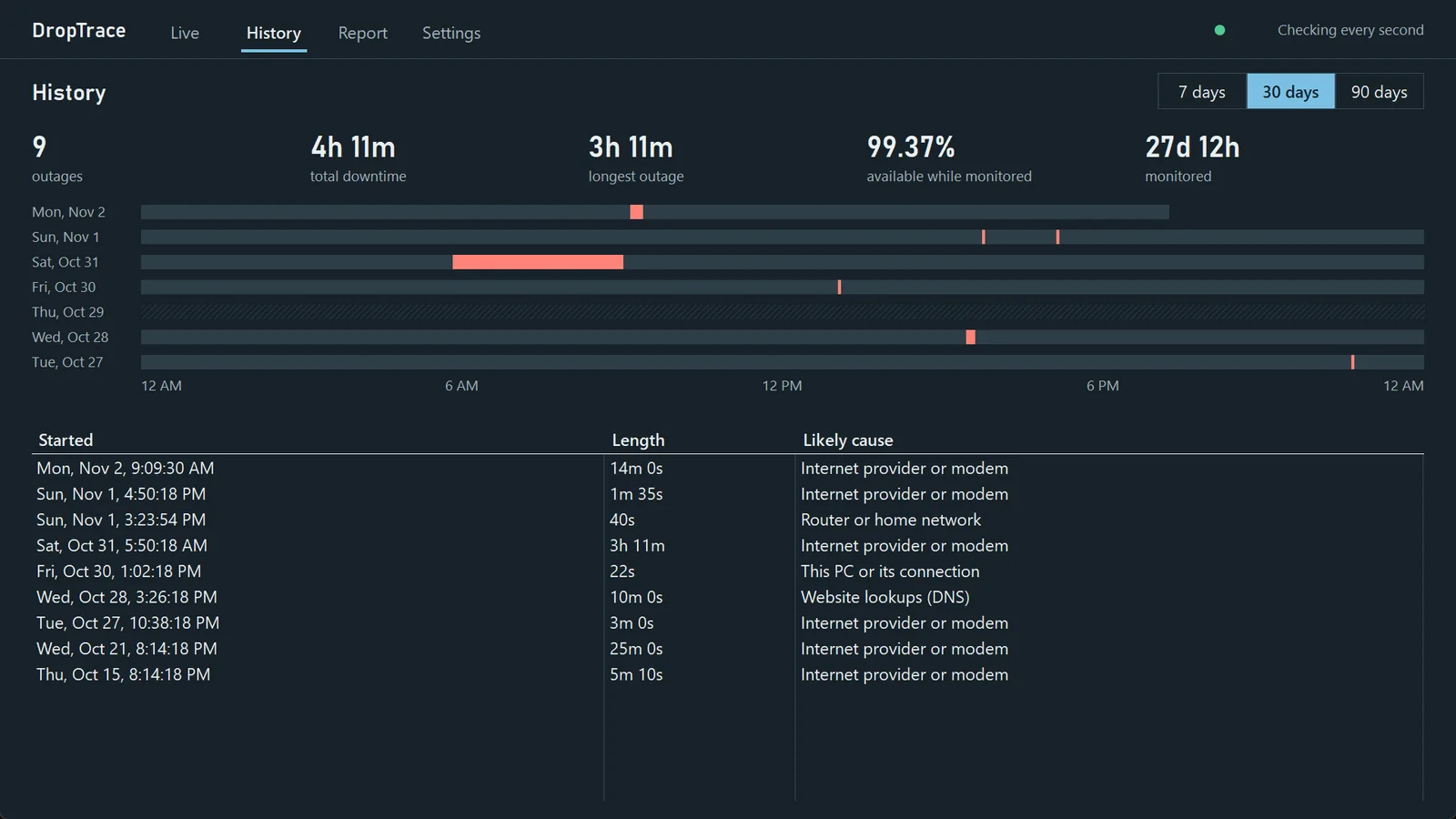
DropTrace's History screen: a 30-day timeline of outages and a table listing when each one started, how long it lasted, and its likely cause, such as the internet provider, the router, or this PC.
DropTrace's History screen. Every outage gets a start time, a length, and its likely cause.

The apps

Find out why your PC is acting up

DropTrace

Free · open source
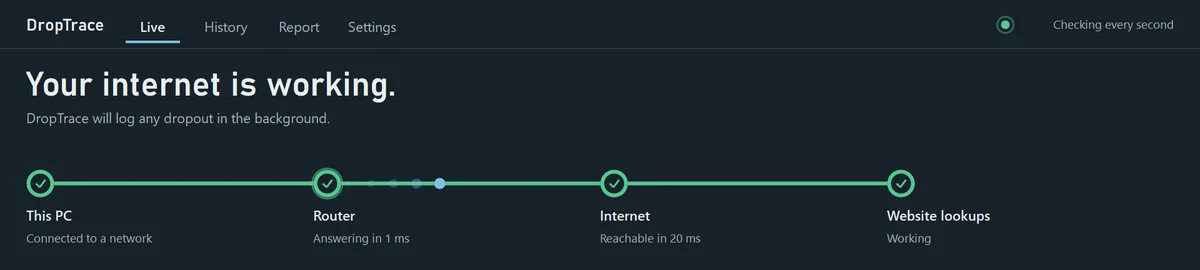
DropTrace's Live screen showing This PC, Router, Internet and Website lookups all working.

Checks your connection every second and logs each time it drops. It shows whether the problem was your PC, your router, your provider, or website lookups, and builds a report you can send them.

Get it on Microsoft Store Source code on GitHub

DropTrace Pro

$15 one-time
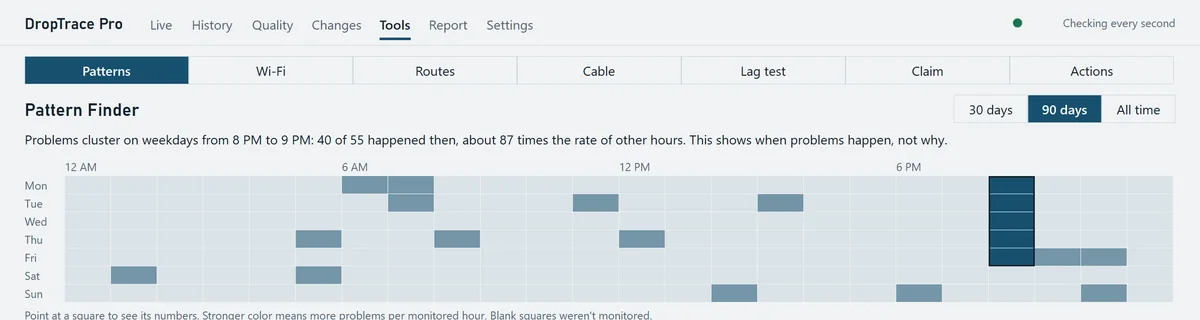
DropTrace Pro's Pattern Finder, a heatmap showing problems clustering on weekdays from 8 to 9 PM.

Everything in DropTrace, plus tools for the problems that aren't full outages.

  • Packet loss and jitter tracking
  • Pattern Finder shows when problems cluster
  • Wi-Fi, route, cable and lag tests
  • Provider Claim Kit for credits and repairs
Get it on Microsoft Store

FolderTrace

Free
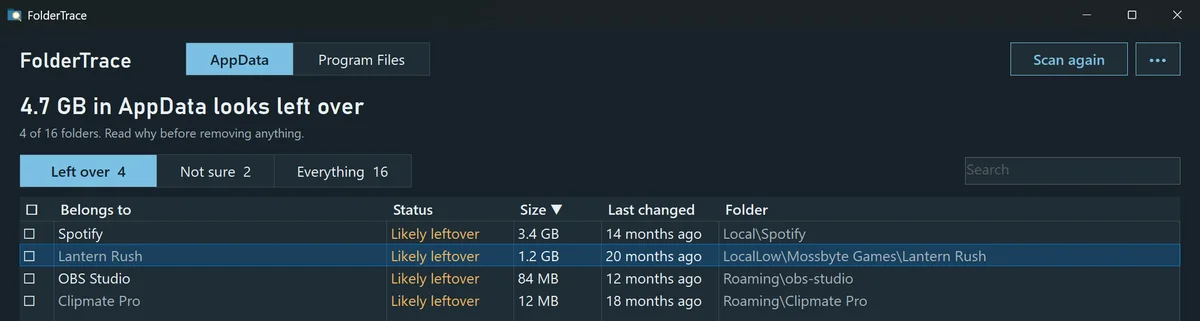
FolderTrace listing four AppData folders that look left over, including Spotify at 3.4 GB and OBS Studio, with their sizes and when they last changed.

AppData fills up with leftovers from programs and games you uninstalled years ago, under names that make no sense. FolderTrace tells you which program each folder belongs to, so you can clear out the ones you don't need.

  • Labels folders In use, Likely leftover, or Not sure
  • Shows the evidence behind every label
  • Checked folders go to the Recycle Bin
Get it on Microsoft Store Source code on GitHub

HitchTrace

Coming soon

For games that stutter even when your FPS looks fine. HitchTrace watches your PC while you play and points to the likely cause of each hitch, such as a background app, disk activity, a driver, or a Windows setting.

  • Frame-time graph that catches every hitch
  • Shows what else was busy when it happened
  • Checks common PC settings that cause stutter
Follow on Ko-fi for updates
How they're built

Three rules for every app

01

Native, not a web page in a window

A lot of desktop apps today ship a whole browser inside them. These don't, so they open fast and leave your RAM for the things you're actually doing.

02

Honest about what they know

A likely cause is labeled as likely. The apps show you the evidence and don't claim more than it proves.

03

Fair pricing

The free versions stay free. Paid versions cost one flat price on the Microsoft Store, with no monthly fee.

Support the work

Made by one person between shifts

If DropTrace helped you get your internet fixed, or FolderTrace cleared out a few gigs, a coffee keeps the next app coming.